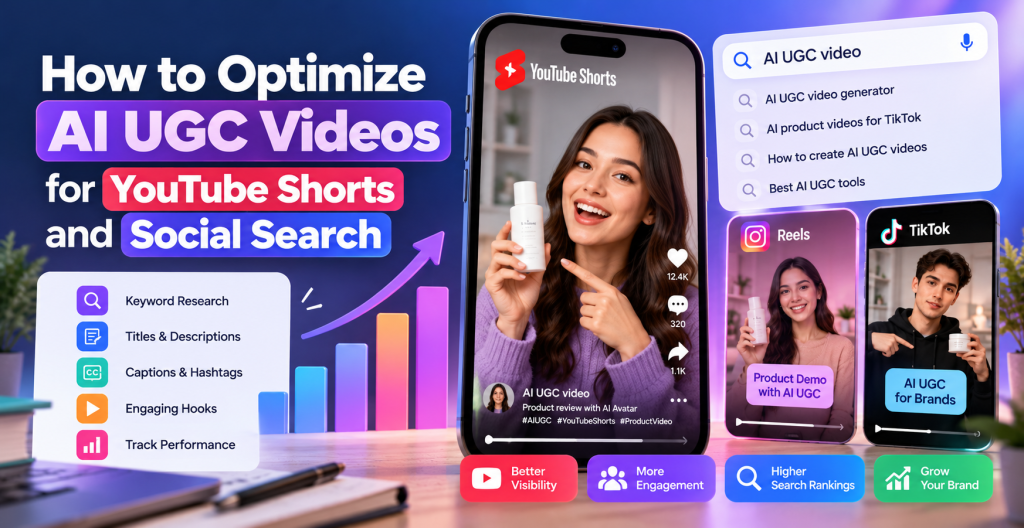
Short-form video has become an important part of modern digital marketing. Brands use platforms such as YouTube Shorts, Instagram Reels, and TikTok to showcase products, demonstrate features, answer customer questions, and reach potential buyers. At the same time, users increasingly search these platforms for product recommendations, tutorials, reviews, and solutions to everyday problems.
This creates a significant opportunity for businesses using AI UGC video generation. Instead of producing every video through traditional filming, marketers can use AI-powered tools to create UGC-style product demonstrations, avatar-led explainers, and short promotional videos at scale.
However, publishing AI UGC videos alone does not guarantee visibility. To reach the right audience, brands need to optimize their video content for platform discovery, search intent, viewer retention, and engagement.
In this guide, you’ll learn how to optimize AI UGC videos for YouTube Shorts and social search, including keyword research, video scripts, captions, titles, descriptions, accessibility, and performance measurement.
What Is AI UGC Video Optimization?
AI UGC video optimization is the process of improving AI-generated, user-generated-content-style videos so they can reach relevant audiences through social platforms and search features.
AI UGC videos typically imitate the conversational style of creator content. They may include virtual presenters, product demonstrations, testimonial-style narratives, voiceovers, and product-focused storytelling.
Optimization involves more than adding keywords to a caption. It requires aligning the video’s message with what people search for, communicating the topic clearly, maintaining viewer interest, and presenting content in a format suitable for each platform.
For example, a skincare brand creating an AI UGC video about a moisturizer could target searches such as “how to apply moisturizer,” “moisturizer for dry skin,” or “daily skincare routine.”
Rather than producing a generic advertisement, the brand can create a short video that answers one specific question, demonstrates the product, and explains its relevant features.
This approach makes the content more useful to viewers while creating opportunities for discovery through YouTube Search and social platform search features.
Why YouTube Shorts and Social Search Matter for AI UGC Videos
YouTube Shorts offers a format for reaching viewers through short-form video recommendations, subscriptions, and search. Social search also allows users to discover content by entering queries related to products, tutorials, trends, and recommendations.
For marketers, this means an AI UGC video can serve two purposes: attract attention through short-form video feeds and answer a specific question that someone may actively search for.
A well-optimized video can support product awareness, website traffic, and customer education. However, rankings and distribution depend on multiple factors, including relevance, viewer behavior, competition, and each platform’s recommendation systems.
AI UGC video optimization is particularly useful for eCommerce brands, SaaS companies, beauty businesses, fitness brands, and digital marketers who need to communicate product value quickly.
1. Conduct Keyword Research Before Creating Videos
Keyword research should happen before scriptwriting and video production. It helps you understand what your audience wants to learn and how to frame your video around an actual search query.
Start by identifying your primary topic. For example, if you’re promoting a product video platform, your main keyword could be “AI UGC video generator.”
Then explore related searches, such as:
- How to create AI UGC videos
- Best AI UGC video generator for marketing
- How to make product videos with AI
- AI UGC videos for YouTube Shorts
- How to create short product demonstration videos
- AI-generated product ads for social media
Use YouTube’s search suggestions, Google search results, relevant social platform search features, and keyword research tools to discover related queries.
Pay attention to search intent. Someone searching for “what is AI UGC” probably wants an explanation, while someone searching for “best AI UGC video generator” may be comparing software options.
Create different videos for different needs instead of trying to answer every question in a single short.
You can also organize keywords by funnel stage. Educational searches support awareness, comparison searches support consideration, and product-specific searches may indicate stronger commercial intent.
2. Write Search-Friendly YouTube Shorts Titles
Your title should tell viewers what the video offers while naturally incorporating the main keyword.
For example, a generic title such as “Watch This Amazing Video” provides little information about the subject.
A more descriptive title could be “How to Create AI UGC Videos for YouTube Shorts.”
Other title examples include:
- How to Make AI UGC Product Videos in Minutes
- AI UGC Video Generator: A Quick Tutorial
- How to Create Product Ads With AI Avatars
- 3 Ways to Improve Your AI UGC Video Ads
- How to Turn Product Images Into Short Video Ads
Use the primary keyword when it fits naturally, but prioritize clarity over repetition. Titles should accurately represent the content rather than promising results the video cannot deliver.
Avoid keyword stuffing, misleading claims, and excessive capitalization. A clear title helps both viewers and platform systems understand the video’s subject.
For YouTube Shorts, the title is distinct from the text displayed inside the video. Both should communicate the topic consistently.
3. Optimize the First Three Seconds With a Strong Hook
The opening seconds are important because viewers can quickly swipe to another video.
Start with the problem, question, or benefit that motivated the viewer to watch.
For example, a video targeting “how to create AI UGC videos” could begin with:
“Need product videos without organizing a full shoot? Here’s how to create a UGC-style ad with AI.”
A video about product demonstrations might open with:
“Here’s a simple way to turn your product images into a short promotional video.”
Effective hooks are specific, relevant, and easy to understand. Avoid long introductions, unnecessary branding animations, and generic statements that delay the main point.
The opening should also match the title. If your title promises a tutorial, show the process rather than spending the first few seconds discussing unrelated benefits.
A strong hook can improve the viewing experience, but it should not be misleading or exaggerated just to increase watch time.
4. Structure Your AI UGC Video Around One Search Intent
Short videos work best when they communicate a focused idea.
Trying to explain every feature of an AI UGC video generator in 30 seconds can make the content confusing. Instead, create a series of videos, each addressing one question or use case.
A practical structure for a 30-second video is:
| Video section | Suggested duration | Purpose |
| Hook | 0–3 seconds | Introduce the problem or question |
| Main explanation | 3–10 seconds | Provide context |
| Demonstration | 10–23 seconds | Show the product or process |
| Conclusion | 23–27 seconds | Reinforce the key takeaway |
| Call to action | 27–30 seconds | Suggest a relevant next step |
These timings are guidelines rather than strict platform requirements. Adjust the length to the complexity of the topic and the needs of your audience.
For example, a tutorial about turning a product URL into a video could show the input process, a preview of the generated video, and the final result.
A video about AI UGC advertising could instead compare two different hooks or explain how to improve a product demonstration.
The goal is to provide a complete and useful answer without unnecessary filler.
5. Optimize Video Descriptions, Captions, and Hashtags
Text accompanying your video can provide additional context about its subject.
On YouTube, write a concise description that explains what viewers will learn. Include your primary keyword naturally and add relevant supporting details.
For example:
“Learn how to create AI UGC videos for YouTube Shorts using product visuals, short scripts, and AI-powered video creation workflows. Discover practical ways to develop engaging product demonstrations and optimize short-form videos for social search.”
Avoid copying the same description across every upload. Each description should reflect the specific video.
Hashtags can help categorize content, but they are not a replacement for relevant titles or useful videos. Use a small number of accurate hashtags, such as #AIUGC, #YouTubeShorts, and #VideoMarketing, when appropriate.
For other platforms, tailor captions to the audience and format. Instagram Reels captions can provide context or encourage discussion, while TikTok descriptions can complement the video’s search-focused message.
Do not overload captions with unrelated trending hashtags. Relevance is more important than using as many hashtags as possible.
6. Use On-Screen Text and Captions Strategically
Many people watch short videos with the sound turned down, in noisy environments, or while multitasking. On-screen text and captions can make your message easier to follow.
Add readable captions that accurately reflect the spoken content. Highlight important terms, steps, or product benefits without covering essential visual details.
For example, an AI UGC video demonstrating a video creation platform might display short phrases such as:
“Add your product URL”
“Choose an AI avatar”
“Generate your video”
“Review and edit the result”
This creates a visual structure that helps viewers understand the process quickly.
Use a readable font, strong contrast, and appropriate spacing. Keep text away from platform interface elements and screen edges, since buttons and captions may cover parts of the video.
Accurate subtitles also improve accessibility. However, captions should not be treated as a guaranteed ranking shortcut. Their primary value is helping people understand the content.
7. Create Vertical Videos With Mobile Viewing in Mind
YouTube Shorts and other short-form platforms are designed primarily for vertical viewing.
A 9:16 aspect ratio, commonly produced at 1080 × 1920 pixels, is a useful starting point for vertical video production. Check the current specifications of each platform before publishing.
Ensure the product, presenter, and important visual details remain visible on a mobile screen.
Avoid tiny text, overly complex backgrounds, and long sequences of static product images. Use movement and scene changes when they help demonstrate the product or maintain clarity.
For AI-generated videos, review lip synchronization, facial expressions, hand movements, product details, voice quality, and transitions before publishing.
AI-generated visuals can sometimes contain inconsistencies. Correcting these problems is particularly important in product demonstrations, where inaccurate packaging, features, or product appearance may undermine trust.
The final video should feel intentional and easy to follow rather than looking like an automated template with minimal editing.
8. Use AI UGC Video Tools to Scale Production
Creating multiple video variations can help brands explore different audience needs, hooks, and creative approaches.
Tools such as Tagshop AI can support AI UGC video creation workflows by helping marketers produce creator-style videos using AI-powered features. Depending on the available workflow, teams can explore product-to-video creation, AI avatars, script development, and video editing.
For example, an eCommerce marketer could create separate videos around a product’s main features, common customer questions, and practical use cases.
A skincare brand might produce one video explaining how to use a product, another highlighting its texture, and a third answering a frequently asked question.
Each video can target a distinct search intent rather than repeating the same advertisement with minor changes.
Before publishing, review the generated output for factual accuracy, product consistency, natural delivery, and compliance with platform rules.
AI can reduce production effort, but human review remains important for maintaining quality and trust. Avoid fabricating customer experiences or presenting synthetic testimonials as genuine customer statements.
9. Optimize AI UGC Videos for YouTube Search and Social Discovery
Social search optimization requires understanding the way people phrase their questions.
Use natural language in video titles, scripts, descriptions, and on-screen text when it helps explain the subject. For example, a video answering “How do I make product videos with AI?” should address that question directly.
Create supporting content around related questions. A series could cover:
- How to create AI UGC videos
- How to write scripts for product videos
- How to make AI avatar videos look natural
- How to create different versions of a video ad
- How to improve product video engagement
These videos form a connected content library around your subject.
You can also repurpose a core idea across YouTube Shorts, Instagram Reels, and TikTok. However, adapt captions, titles, calls to action, and creative presentation to each platform rather than automatically publishing identical content everywhere.
Use platform-native analytics and search insights, where available, to identify topics that attract relevant viewers.
Social search visibility is not determined by keywords alone. Viewer satisfaction, relevance, competition, and platform-specific distribution systems can all influence discovery.
10. Measure Performance and Improve Your Video Strategy
Optimization should continue after publication.
For YouTube Shorts, use YouTube Studio to monitor relevant metrics such as views, engaged views, average view duration, audience retention, and subscribers gained. Interpret these metrics together rather than judging performance using views alone.
For other platforms, review the available analytics for watch time, completion, saves, shares, profile visits, and clicks.
Connect these metrics to the purpose of each video.
An educational video may be successful because it attracts relevant viewers and generates subscribers. A product-focused video may be more valuable if it leads to qualified website visits or conversions.
Use performance data to identify patterns. If viewers leave early, consider improving the hook or removing unnecessary introductions. If a tutorial attracts viewers but receives few meaningful interactions, make the next step clearer or ensure the content fully answers the intended question.
Test one or two meaningful changes at a time, such as different openings, video lengths, or title approaches. This makes it easier to understand which changes may have contributed to improved performance.
Avoid assuming that a single viral video establishes a repeatable strategy. Consistent testing across multiple topics can provide more reliable insights.
Common Mistakes to Avoid
Several mistakes can limit the effectiveness of AI UGC videos.
Keyword stuffing: Repeating the same phrase excessively makes captions and titles unnatural.
Misleading hooks: Promising a tutorial or product result that the video does not deliver can disappoint viewers.
Generic AI content: Publishing videos with no original insight, clear purpose, or useful demonstration can make it difficult to stand out.
Ignoring mobile readability: Small captions, cluttered layouts, and poorly positioned product visuals can reduce usability.
Publishing without quality checks: AI-generated errors can damage credibility, especially when products or customer experiences are misrepresented.
Ignoring platform policies: Follow current rules for synthetic media disclosures, advertising, endorsements, music rights, and other applicable requirements.
Measuring only views: High view counts do not necessarily translate into relevant traffic, engagement, or sales.
Avoiding these mistakes helps create videos that serve both audience needs and business goals.
Conclusion
Optimizing AI UGC videos for YouTube Shorts and social search requires a combination of keyword research, focused scripting, compelling openings, clear captions, mobile-friendly visuals, and continuous performance analysis.
Start by identifying the questions your audience searches for. Create one useful video for each specific intent, communicate the topic clearly, and review the final output for accuracy and quality.
AI-powered platforms such as Tagshop AI can help streamline video production and support creative experimentation. However, successful optimization still depends on understanding your audience and publishing content that delivers genuine value.
By combining search-focused planning with engaging short-form storytelling, brands can build a stronger video content strategy, improve their opportunities for social discovery, and connect potential customers with relevant products and solutions.


Leave a Reply