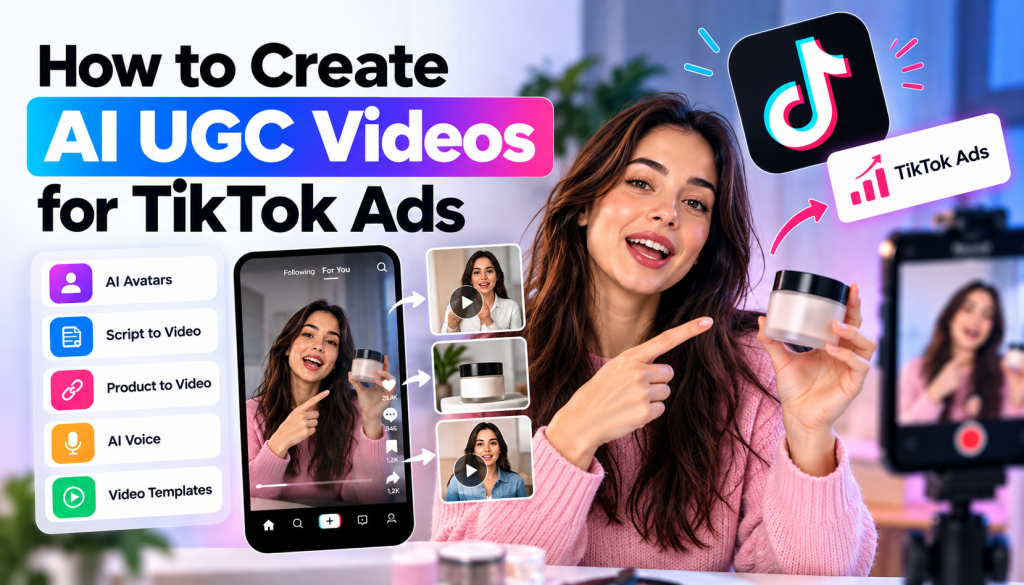
TikTok has transformed the way brands advertise online. Instead of relying only on polished commercials, brands can now create short, entertaining, and creator-style videos that blend naturally into users’ feeds. This has made User-Generated Content (UGC) an important format for TikTok advertising.
However, producing traditional UGC at scale can take significant time. Brands need to find creators, develop scripts, send products, record footage, edit videos, and produce multiple variations. AI UGC video for TikTok Ads offers another approach, allowing marketers to create creator-style advertisements using AI avatars, voices, scripts, product visuals, and automated video production.
Whether you are an eCommerce brand, agency, SaaS company, or content creator, AI can help you experiment with more TikTok ad concepts while reducing the complexity of video production.
This guide explains how to create AI UGC videos for TikTok Ads, from choosing a concept and writing a hook to generating, optimizing, and testing your final creatives.
What Is an AI UGC Video for TikTok Ads?
An AI UGC video is a creator-style video generated or assisted by artificial intelligence. Instead of requiring a real creator to record every version, AI tools can generate elements such as the script, voiceover, avatar presentation, product scenes, captions, and editing.
An AI UGC video for TikTok Ads is specifically designed around TikTok’s short-form, mobile-first advertising environment.
These videos can take several formats, including:
- Product reviews
- Product demonstrations
- Problem-solution videos
- Testimonial-style content
- Unboxing concepts
- Product recommendations
- Tutorials
- Before-and-after videos
- Founder-style videos
- Educational product videos
The goal is to make the advertisement feel natural within a TikTok feed while communicating a clear product benefit.
Why Use AI UGC Videos for TikTok Ads?
TikTok advertising requires a constant flow of creative ideas. A video that performs well today may eventually experience creative fatigue, making fresh concepts important for ongoing campaigns.
AI can help marketers produce creative variations faster.
Create More Creative Variations
Instead of producing one video around a single script, you can create several versions using different hooks, creators, voices, product angles, and CTAs.
For example, an eCommerce brand could create:
Video 1: Problem-focused hook
Video 2: Product demonstration
Video 3: Customer-style review
Video 4: Before-and-after concept
Video 5: Feature-focused video
This gives advertisers more creative options to test.
Reduce Production Complexity
Traditional UGC requires coordination between marketers and creators. AI can simplify parts of the workflow by generating scripts, voiceovers, avatars, scenes, and edits from a single platform.
This can be particularly useful when a campaign needs many creative variations quickly.
Maintain a TikTok-Style Format
AI UGC videos can be created with vertical layouts, conversational scripts, captions, quick transitions, and creator-style presentation.
However, the technology alone does not make a video successful. The creative concept still needs to match TikTok’s viewing behavior.
How to Create AI UGC Videos for TikTok Ads
Creating an effective AI UGC video requires more than selecting an avatar and entering a product name. You need to build the creative around your audience, product, hook, and campaign objective.
Here is a practical step-by-step process.
Step 1: Define Your TikTok Advertising Goal
Start by identifying what you want your advertisement to accomplish.
Your campaign may focus on:
- Product purchases
- Website conversions
- App downloads
- Lead generation
- Traffic
- Product awareness
- Engagement
Your objective determines how you structure the video.
For example, an ad designed to generate product sales should clearly communicate the product’s value and provide a strong reason for the viewer to take action.
Step 2: Understand Your Target Audience
The same product can require completely different messaging for different audiences.
Before creating the video, identify:
- Who is the target customer?
- What problem are they trying to solve?
- What motivates them to purchase?
- What objections could prevent a purchase?
- What type of TikTok content do they already watch?
For example, a skincare brand targeting younger consumers could focus on a relatable skincare problem and show the product as part of a simple routine.
A SaaS company could instead use a creator-style tutorial demonstrating how its software solves a specific workflow problem.
Step 3: Create a Strong TikTok Hook
The opening seconds of your video are extremely important because TikTok users can quickly scroll past content that does not capture their attention.
Your hook should create curiosity, highlight a problem, introduce a benefit, or make the viewer want to see what happens next.
Some examples include:
“I finally found a faster way to create product videos.”
“If you’re still making your ads this way, try this instead.”
“Here is what happened when I tested this product for seven days.”
“This tool saved me hours of video editing.”
Avoid long introductions such as “Hello everyone, today I am going to tell you about our company.”
Start with the reason the viewer should care.
Step 4: Write a Short UGC-Style Script
Once you have your hook, build the rest of the script around a simple structure.
A useful framework is:
Hook → Problem → Solution → Benefits → Proof → CTA
For example:
Hook:
“I was spending hours creating new ad creatives.”
Problem:
“Every new campaign required scripts, creators, filming, and editing.”
Solution:
“Then I started using an AI video workflow to create UGC-style ads.”
Benefits:
“I can test different hooks, creators, and product angles much faster.”
CTA:
“Try it for your next campaign.”
Keep the language conversational rather than making the video sound like a corporate presentation.
Step 5: Choose an AI Creator or Avatar
AI avatar technology allows brands to create videos featuring virtual presenters.
Choose an avatar based on the audience and product.
Consider:
- Age
- Appearance
- Presentation style
- Voice
- Clothing
- Personality
- Tone
A beauty brand may choose a casual creator-style avatar, while a B2B software company might choose a professional presenter.
The avatar should feel consistent with the message and audience.
Step 6: Add Your Product
Your AI UGC video should show what you are actually advertising.
Depending on the product, you can include:
- Product images
- Product demonstrations
- Screen recordings
- Product screenshots
- Lifestyle visuals
- AI-generated product scenes
- Website content
- Packaging visuals
For eCommerce products, visual demonstrations can help viewers understand how the product works.
For software products, showing the interface can make the advertisement more informative.
Step 7: Generate the AI UGC Video
Once the script, creator, voice, and product assets are prepared, you can generate the video using an AI video creation platform.
AI platforms can combine several production steps into one workflow.
For example, Tagshop AI provides AI-powered video creation capabilities that can support UGC-style advertising workflows. Features such as AI Video Agent, AI Ad Clone, URL-to-Video, and AI Twin can help marketers develop different types of video creatives.
The AI Video Agent can help turn conversational instructions into video concepts.
With URL-to-Video, marketers can provide a product URL and use product information as a starting point for video creation.
AI Ad Clone can help marketers recreate the general structure and creative approach of an existing advertisement while adapting the messaging for their own brand.
An AI Twin can also be used to create personalized creator-style content based on an individual’s provided likeness and voice, where appropriate permissions are available.
Step 8: Format the Video for TikTok
TikTok is primarily a vertical, mobile-first platform, so your creative should be designed for vertical viewing.
A 9:16 vertical format is commonly used for TikTok-style content.
Make sure:
- Important text is readable on mobile
- The product remains visible
- Captions are easy to follow
- The CTA is clear
- Visual elements do not interfere with TikTok interface areas
- The video maintains a strong pace
Always preview your creative on a mobile screen before launching your campaign.
Step 9: Add Captions and On-Screen Text
Captions can make your video easier to understand when viewers watch without sound.
You can also use short text overlays to reinforce key points.
For example:
“Create UGC ads faster”
“Turn product URLs into videos”
“Test multiple ad creatives”
Keep your text concise. Too much information can make a short video difficult to follow.
Step 10: Create Multiple AI UGC Variations
One of the biggest advantages of AI-powered video creation is scalability.
Instead of creating one advertisement, build a creative testing library.
Change one or more elements between versions:
- Hook
- Script
- Avatar
- Voice
- Background
- Product angle
- Opening scene
- CTA
- Music
- Editing style
For example, you could create five videos around the same product but use five different hooks.
This makes it easier to understand which messaging resonates with your audience.
Step 11: Test Your TikTok Ads
After creating your videos, launch them as part of your advertising strategy and monitor performance.
Depending on your campaign setup, useful metrics can include:
- Video views
- Engagement
- Click-through rate
- Conversion rate
- Cost per result
- Landing page visits
- Cost per acquisition
- Return on ad spend
If one hook receives stronger engagement, consider creating more videos around that messaging angle.
If viewers leave early, experiment with a stronger opening.
If users watch the video but do not click, review your offer, product positioning, and CTA.
Best Practices for AI UGC Video for TikTok Ads
Make the First Seconds Count
Don’t spend the beginning of your video introducing your brand. Start with a compelling statement, problem, result, or question.
Keep the Story Simple
A short TikTok advertisement should communicate one primary message. Avoid trying to explain every feature in a single video.
Use Natural Language
UGC-style content should sound conversational. Avoid unnecessarily complicated sentences and corporate terminology.
Show Instead of Just Telling
If your product solves a problem, demonstrate it whenever possible.
Visual demonstrations can make your message easier to understand.
Create Different Creative Angles
Don’t rely on one creative concept. Experiment with educational, emotional, product-focused, testimonial-style, and problem-solution approaches.
Keep Branding Consistent
Even creator-style advertisements should maintain recognizable brand elements, including product visuals, colors, messaging, and CTA language where appropriate.
Avoid Fake Testimonials
AI can generate realistic-looking content, but brands should not present fabricated customer experiences as genuine testimonials.
If an AI-generated creator is used, make sure the content complies with applicable advertising rules and platform requirements.
Common Mistakes When Creating AI UGC TikTok Ads
One common mistake is making the video look like a traditional commercial. TikTok users are accustomed to fast, informal, creator-style content, so overly polished advertisements may not fit every campaign.
Another mistake is using a weak hook. Even a technically impressive video can struggle if the opening does not give viewers a reason to continue watching.
Brands should also avoid putting too much information into a short video. Choose one core problem and explain the solution clearly.
Finally, don’t create AI videos without a testing strategy. The value of AI-generated content comes from the ability to experiment, learn from performance data, and develop stronger creative concepts.
AI UGC vs. Traditional UGC for TikTok
Traditional UGC involves real creators recording videos, sharing personal experiences, demonstrating products, or creating testimonials.
AI UGC uses artificial intelligence to produce creator-style content without requiring a creator to record every version.
Traditional UGC can provide genuine personal experiences, while AI UGC can provide greater production speed, scalability, and creative control.
Brands do not necessarily have to choose one approach exclusively. A TikTok advertising strategy can combine authentic customer content, professional creator videos, and AI-generated creative variations.
Final Thoughts
Creating an AI UGC video for TikTok Ads can help brands build a more scalable approach to short-form advertising. Instead of relying on a single creative, marketers can develop multiple hooks, scripts, creators, product demonstrations, and CTAs to test different messaging angles.
The key is to treat AI as a creative production tool rather than a replacement for strategy.
Start with a clear audience and advertising objective. Develop a strong hook, write a concise UGC-style script, choose an appropriate AI creator, showcase the product, format the video for vertical viewing, and create multiple variations.
Most importantly, use performance data to guide your next creative decisions.
When AI-powered production is combined with strong creative strategy and continuous testing, AI UGC video for TikTok Ads can become a scalable part of a modern social advertising workflow.


Leave a comment