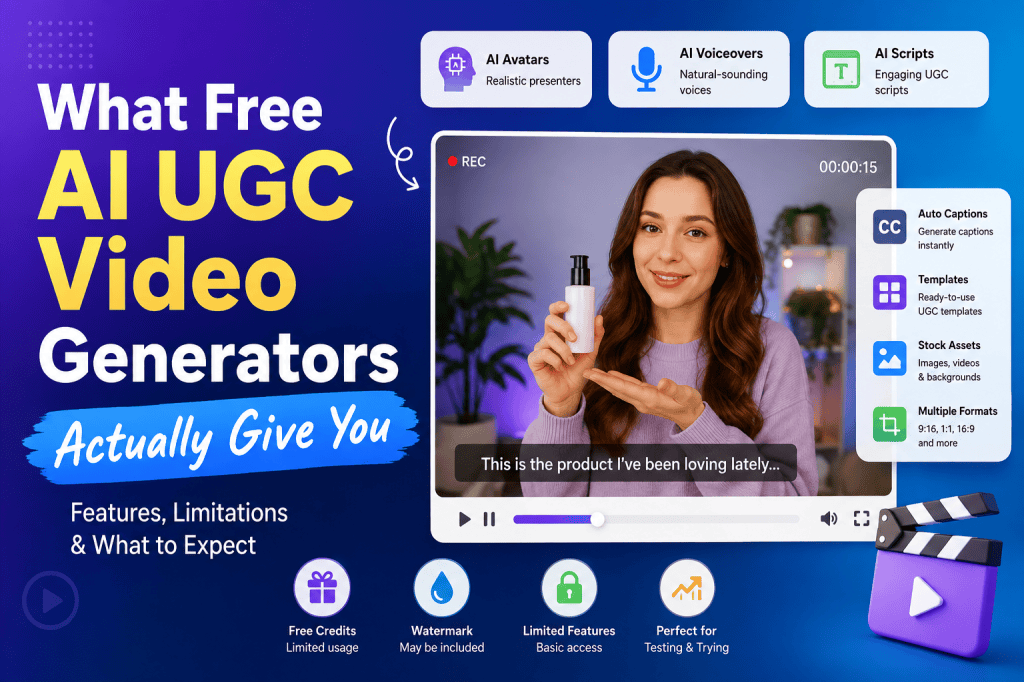
Creating UGC-style videos used to mean finding creators, sending products, waiting for content, reviewing multiple takes, and paying for every new variation. AI has changed that workflow. Today, marketers can use free AI UGC video generators to create product videos, testimonial-style ads, social media creatives, and short-form promotional content without hiring a creator for every campaign.
But there is an important catch.
“Free” does not always mean unlimited, fully customizable, watermark-free, or ready for paid advertising.
Many AI UGC platforms offer free credits or free trials, but the actual features available on those plans can vary significantly. Some give you access to AI avatars but restrict video length. Others allow script generation but limit exports. Some provide realistic voices but add watermarks, while others let you create videos but reserve commercial usage or premium avatars for paid plans.
So, what do free AI UGC video generators actually give you?
This guide breaks down the features you can realistically expect, where free plans fall short, and how to decide whether a free AI UGC tool is enough for your marketing strategy.
What Is a Free AI UGC Video Generator?
A free AI UGC video generator is an AI-powered tool that helps you create user-generated-content-style videos without recording everything manually.
Instead of hiring a creator and producing a video from scratch, you can typically provide a product, script, URL, image, or basic idea. The AI then helps generate parts of the video, such as:
- UGC-style scripts
- AI avatars
- AI voices
- Product visuals
- Backgrounds
- Captions
- Video scenes
- Hooks
- Calls to action
- Social-media-ready formats
The goal is to make content that resembles the casual, authentic style associated with traditional UGC.
This is particularly useful for ecommerce brands, DTC companies, performance marketers, agencies, and social media teams that need to produce multiple creative variations quickly.
However, the quality and number of features you receive for free depend heavily on the platform.
What Do Free AI UGC Video Generators Actually Give You?
Free tools can be surprisingly useful, especially when you’re testing AI UGC for the first time. However, you should understand what is usually included before building an entire campaign around a free plan.
1. Limited AI UGC Video Credits
The most common free offering is a limited number of credits.
Instead of allowing unlimited video generation, platforms may give you a certain number of credits when you create an account. Every generation consumes some of those credits depending on video duration, AI model, avatar, voice, or other features.
For example, a platform might allow you to create several short videos for free but require payment once those credits are exhausted.
This model is useful because you can test the platform without committing to a subscription.
However, it is not necessarily practical for producing hundreds of advertising variations every month.
If you’re evaluating a free AI UGC video generator, check:
- How many credits are included?
- How long do the credits last?
- Do unused credits expire?
- How many credits does one video consume?
- Are revisions charged separately?
- Are premium avatars or voices excluded?
These details can make a major difference.
2. AI UGC Script Generation
One of the most useful features available in many AI UGC tools is AI-powered script generation.
Instead of writing every video manually, you can provide basic information about your product and ask AI to create a UGC-style script.
A typical script may include:
Hook → Problem → Product Introduction → Benefits → Social Proof → CTA
For example, a skincare brand could provide a product description and generate a script that begins with a relatable problem before introducing the product.
This can significantly reduce the time required to create advertising concepts.
However, free versions may limit the number of scripts you can generate or restrict advanced scripting features.
The quality can also vary. AI-generated scripts often need editing to make them sound natural, specific, and aligned with the brand’s voice.
The best approach is to use AI as a starting point rather than publishing every generated script without review.
3. AI Avatars
AI avatars are one of the biggest reasons marketers try AI UGC video generators.
Instead of asking a real creator to record a product pitch, an AI avatar can deliver the script.
Depending on the platform, you may get access to different:
- Ages
- Genders
- Appearance styles
- Languages
- Accents
- Presentation styles
- Backgrounds
Free plans usually provide a smaller avatar library.
Premium-looking avatars, specialized characters, or additional customization options may require a paid subscription.
For experimentation, the free selection may be enough. But if you’re running multiple campaigns, you may eventually need more variety.
4. AI Voiceovers
Voice generation is another common feature.
AI voice technology can transform a written script into spoken audio without requiring the marketer or creator to record it.
Some platforms offer different voices and languages, allowing brands to create localized content more efficiently.
However, free plans often limit access to premium voices or advanced voice customization.
You may also encounter restrictions on:
- Voice duration
- Number of generations
- Voice cloning
- Commercial usage
- Language selection
If you’re creating videos for paid advertising, always check the platform’s licensing and commercial-use terms rather than assuming every free export can be used commercially.
5. Basic UGC Templates
Templates make it easier to create videos without designing every scene manually.
A free AI UGC video generator may provide templates for common formats such as:
- Product testimonials
- Unboxing videos
- Problem-solution ads
- Product reviews
- Talking-head videos
- Product demonstrations
- TikTok-style videos
- Instagram Reels
- Short product advertisements
Templates are particularly useful for beginners.
Instead of starting with a blank canvas, you can select a structure and replace the content with your own product information.
The downside is that free templates can sometimes look repetitive if thousands of marketers use the same formats.
6. Automatic Captions
Captions are increasingly important for short-form video.
Many people watch social content without sound, so captions can help communicate the message immediately.
Free AI video tools may automatically generate subtitles from the AI voiceover or script.
Some platforms also allow basic customization of:
- Font
- Position
- Size
- Timing
- Animation
Advanced caption styles may be restricted to paid plans.
Even basic automatic captions can save a considerable amount of editing time.
7. Product Images and Visual Assets
Some AI UGC video generators allow users to upload product images and incorporate them into the generated video.
This can be particularly useful for ecommerce brands.
For example, you might upload a product image and create a video where an AI avatar talks about the product while product visuals appear throughout the video.
Some more advanced platforms can also generate product backgrounds, scenes, or lifestyle visuals using AI.
Free plans, however, may restrict the number of image generations or available AI models.
8. Multiple Video Formats
Short-form advertising requires different dimensions depending on the platform.
The most common format for UGC ads is vertical 9:16, which works well for TikTok, Instagram Reels, and YouTube Shorts.
Some free AI video generators support additional formats such as:
- 1:1 square
- 16:9 landscape
- 4:5 portrait
However, advanced resizing or automatic platform optimization may be a paid feature.
If your primary objective is social advertising, make sure your chosen tool supports the format you actually need before creating your campaign.
9. Basic Video Editing
Some free AI UGC tools include basic editing capabilities.
You may be able to:
- Change text
- Replace scenes
- Edit scripts
- Change images
- Adjust timing
- Add music
- Add captions
- Rearrange scenes
This is useful because AI-generated content rarely comes out perfectly on the first attempt.
A small amount of editing can make a major difference in making the video feel more natural.
However, free plans often provide simplified editors rather than full professional video-editing suites.
10. Watermarked Exports
This is one of the biggest limitations to watch for.
Some free AI UGC video generators add a watermark or platform branding to exported videos.
While this may be acceptable for testing, it can make the video look less professional when used in paid advertising.
Before selecting a tool, check whether the free plan provides:
Watermark-free exports.
If it doesn’t, you need to decide whether the free version is actually useful for your intended purpose.
Free vs Paid AI UGC Video Generators
The biggest difference between free and paid AI UGC platforms isn’t necessarily the core AI technology. In many cases, it is the amount of content and control you receive.
| Feature | Free AI UGC Generator | Paid AI UGC Generator |
| AI Script Generation | Usually limited | Usually broader |
| AI Avatars | Limited selection | Larger library |
| AI Voices | Basic options | Premium voices |
| Video Credits | Limited | More credits |
| Templates | Limited | Larger library |
| Video Length | Often restricted | Longer videos |
| Watermark | May be included | Usually removed |
| Customization | Basic | Advanced |
| Voice Cloning | Often unavailable | Available on some platforms |
| AI Twins | Rare | Available on some platforms |
| Commercial Usage | Depends on platform | Usually clearer |
| Export Options | Limited | More options |
| Bulk Generation | Rare | Common in advanced plans |
| Brand Controls | Limited | More extensive |
| Priority Processing | Usually unavailable | Often included |
The table makes one thing clear: free tools are generally designed for testing and experimentation, while paid plans are designed for repeated production.
What Free AI UGC Video Generators Are Good For
Free AI UGC tools can be extremely valuable when used for the right tasks.
Testing UGC Concepts
If you’ve never created AI UGC before, free credits let you experiment with different creative concepts.
You can test different hooks, scripts, avatars, and visual styles without immediately spending money.
Creating Social Media Content
If you only need a few videos each month, a free plan might provide enough credits for your requirements.
Small businesses and individual creators can use free AI UGC tools to maintain a consistent social presence without investing heavily in production.
Testing Ad Hooks
One of the best applications is creative testing.
Instead of producing one polished advertisement, create several concepts around different hooks.
For example:
Hook A: “I didn’t expect this product to work this well.”
Hook B: “If you’re struggling with this problem, watch this.”
Hook C: “Three things I wish I knew before buying this.”
You can then identify which messaging direction deserves further investment.
Where Free AI UGC Generators Fall Short
Free tools are useful, but they have limitations.
Limited Generation Volume
If you’re managing paid campaigns, you may need dozens or even hundreds of creative variations.
Free credits disappear quickly when you’re generating multiple versions.
Fewer Avatars
You may have access to only a small selection of AI presenters.
This can become repetitive when producing large amounts of content.
Less Customization
Free plans often restrict detailed editing, branding, advanced scene controls, or premium AI models.
Watermarks
A watermark can reduce the professional appearance of an advertisement.
Limited Commercial Rights
Never assume that “free” automatically means “free for commercial advertising.”
Always review the tool’s terms of use and licensing conditions.
Are Free AI UGC Videos Good Enough for Ads?
The answer depends on your objective.
For testing ideas, free AI UGC videos can be more than sufficient.
For large-scale paid advertising, you will probably need a paid platform eventually.
The reason isn’t simply video quality. Performance marketing requires volume.
You might need:
- 10 different hooks
- 5 scripts
- 4 avatars
- Multiple CTAs
- Different product angles
- Different opening scenes
- Different lengths
- Different languages
That can quickly consume free credits.
The best workflow is often to use a free AI UGC generator to discover winning creative concepts and then move to a paid plan once you know what works.
How to Choose the Best Free AI UGC Video Generator
Don’t choose a platform simply because it says “free.”
Look at the complete feature set.
Check the Free Credits
Understand exactly how many videos you can generate before payment becomes necessary.
Check Watermarks
If you intend to use videos commercially, determine whether the free exports contain branding.
Check Avatar Quality
A realistic avatar can make the difference between an engaging UGC-style video and an obviously artificial one.
Check Voice Quality
Natural speech, pacing, pronunciation, and emotion matter significantly in UGC advertising.
Check Commercial Rights
This is especially important for businesses using generated videos in paid advertising.
Check Export Quality
Look for HD or higher-resolution exports and the correct aspect ratio for your target platform.
Check Editing Options
You should be able to make changes rather than regenerating the entire video whenever something looks wrong.
How Tagshop AI Fits Into AI UGC Video Creation
For brands looking beyond basic free experiments, Tagshop AI is designed around AI-powered UGC and advertising workflows.
Instead of treating video creation as simply avatar + script + export, the platform focuses on helping marketers generate performance-oriented creative.
You can use AI to create UGC-style videos from product information, experiment with different creative concepts, and develop ad variations without coordinating with multiple creators.
One particularly useful workflow is URL-to-video, where product information can be used as the starting point for generating video content.
Tagshop AI also includes AI avatars, AI voices, product-focused creative generation, and advertising workflows designed for ecommerce and DTC brands.
For marketers who are moving from occasional experimentation to regular AI UGC production, this type of workflow can be more practical than relying entirely on limited free credits.
Free AI UGC Generator vs Traditional UGC
AI doesn’t necessarily replace traditional creators in every situation.
Traditional UGC provides genuine human experiences, real product interactions, and organic creator personalities.
AI UGC provides speed, scalability, and easier creative iteration.
| Factor | Free AI UGC | Traditional UGC |
| Production Speed | Very fast | Slower |
| Upfront Cost | Low or free | Usually higher |
| Creative Variations | Easy to generate | More difficult |
| Creator Authenticity | AI-generated | Real person |
| Scaling | High | Limited by creator availability |
| Script Changes | Easy | Requires reshooting |
| Localization | Often easier | Requires multiple creators |
| Product Demonstration | Depends on tool | Real physical demonstration |
| Testing Multiple Hooks | Easy | More expensive |
| Human Personality | Limited | Strong |
The right option depends on what you’re trying to achieve.
For performance marketers who need rapid creative testing, AI can provide a significant advantage.
The Future of Free AI UGC Video Generators
Free AI UGC tools will likely continue becoming more capable as AI video generation improves.
The biggest change will probably be the movement from simple avatar videos toward more complete AI-generated advertising workflows.
Instead of separately generating a script, voiceover, avatar, product scene, captions, and CTA, marketers will increasingly be able to describe the desired advertisement and let AI handle the production process.
This means the value of AI UGC won’t simply be producing cheaper videos.
The real advantage will be creative iteration.
A brand that can test 50 creative concepts instead of five has more opportunities to discover a winning message.
That is where AI UGC can become particularly powerful.
Final Thoughts
Free AI UGC video generators are useful, but they are not magic production systems.
Most free plans give you enough functionality to understand how AI UGC works, experiment with scripts and avatars, create a few social videos, and test different advertising concepts.
The limitations usually appear when you need scale.
Credits run out. Avatar choices become limited. Watermarks may appear. Advanced editing may be locked. Commercial-use conditions may differ. And producing dozens of variations can quickly require a paid plan.
For beginners, the free version is a good place to start.
For brands running serious UGC campaigns, the more important question is not “Can I make a video for free?”
It is:
“Can this tool help me create enough high-quality creative variations to actually improve my marketing results?”
That distinction will help you choose an AI UGC video generator based on business value rather than simply the word “free.”
FAQs About Free AI UGC Video Generators
What is the best free AI UGC video generator?
The best option depends on your requirements. If you only need to experiment with AI UGC, choose a platform that provides enough free credits, realistic avatars, good voices, and basic editing. If you’re creating content regularly, look for a platform that can scale beyond the free plan.
Are free AI UGC video generators really free?
Many are free to try, but most have limitations. Free plans commonly restrict credits, video length, avatars, voices, exports, or advanced features. Some may also add watermarks.
Can I use free AI UGC videos for commercial purposes?
It depends on the platform’s licensing terms. Before using a free AI-generated video in paid advertising, check whether commercial usage is permitted under the specific plan you’re using.
Can AI UGC videos replace real creators?
Not completely. AI UGC is excellent for speed, scalability, creative testing, and producing variations. Real creators still provide authentic experiences, personalities, and physical product demonstrations that AI may not reproduce perfectly.
Do free AI UGC generators include AI avatars?
Many do, although free plans usually provide a smaller avatar selection than paid plans. Premium avatars and advanced customization may require credits or a subscription.
Can I create TikTok and Instagram UGC ads for free?
Yes, some free AI UGC tools allow you to create short vertical videos suitable for TikTok and Instagram. However, check export quality, aspect ratio, watermarks, and commercial-use restrictions before publishing them as ads.
Are AI-generated UGC videos good for paid advertising?
They can be. AI UGC allows marketers to test more hooks, scripts, avatars, and creative concepts quickly. However, performance depends on the quality of the creative, product-market fit, messaging, targeting, and overall campaign strategy.
How many AI UGC videos can I make for free?
There is no universal number. Each platform has its own credit system, and the number of videos you can generate may depend on video length and the features you use.
What should I look for in a free AI UGC video generator?
Prioritize realistic avatars, natural AI voices, free credits, editing capabilities, export quality, watermark policies, commercial rights, templates, and the ability to create videos in the format required by your advertising platform.
Is AI UGC cheaper than traditional UGC?
It can be significantly more cost-efficient when you need many creative variations. AI reduces the need for repeated creator coordination and reshoots, although premium AI platforms still have subscription or usage costs. The biggest advantage is often speed and scalability rather than simply lower production cost.


Leave a Reply